

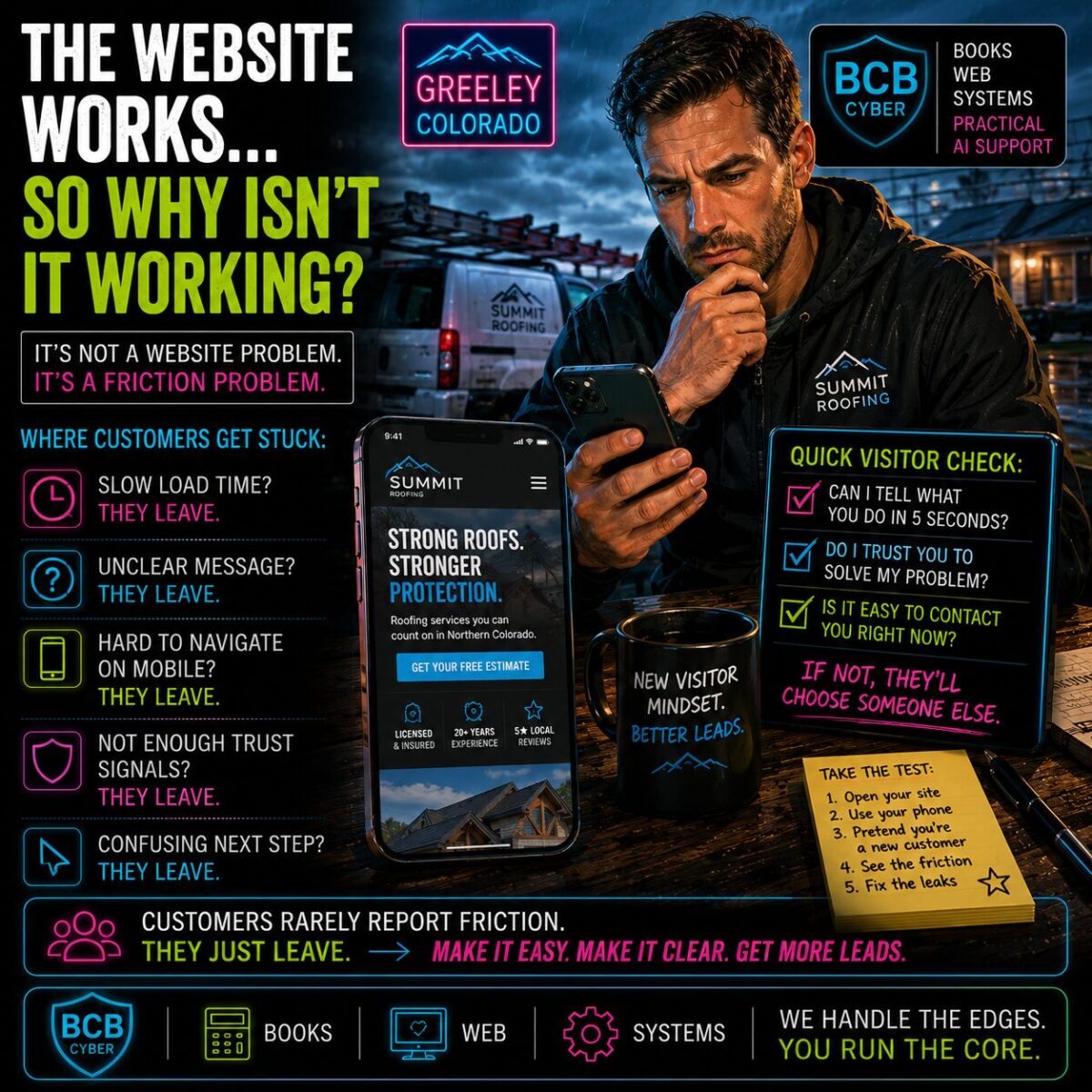

There is a particular kind of website problem that drives business owners slightly mad. The website works. The pages load. The contact form submits. Google knows it exists. Nothing appears broken. Yet inquiries feel inconsistent.
Visitors arrive and disappear. Potential customers seem interested right up until the moment they aren’t. It’s enough to make an otherwise reasonable person stare suspiciously at analytics while drinking coffee.

The Friction Problem
Most website conversations begin with technical questions. Is it loading? Is it secure? Is it online?
Those things matter.
But one of the biggest lessons we’ve learned from recent BCB Cyber site-health work is this:
A website can function perfectly and still create friction.
Customers don’t experience your website the way you do. You know the business. You know the services. You know where everything is.
Visitors don’t.
The Curse Of Knowing Too Much
Business owners suffer from a peculiar condition. Let’s call it:
Expert Blindness
You know your process so well that it becomes difficult to remember what it’s like not to know it.
A customer arrives wondering: What exactly do you do? Do you server my area? What happens next? How much does this cost? Why should I trust you?
Meanwhile the owner is thinking:
“It’s all right there.”
Sometimes it is. Sometimes it isn’t.
A Lesson From Site Health
Recently we spent time investigating website performance, mobile experience, and customer flow. One pattern appeared repeatedly.
Nothing was technically broken.
The friction was simply hiding. A slightly confusing page. An unclear next step. A form that technically worked but wasn’t inviting.
A mobile experience that felt just a little awkward.
None of these problems triggered error messages. But they all created hesitation.
Customers Rarely Report Friction
This is the part many owners miss. Customers almost never send an email saying:
“Your call-to-action placement reduced my confidence by 12%.”
They simply leave. They click away. They contact a competitor. They move on.
The feedback often arrives as silence.
The 30-Second Test
Here’s a simple exercise. Open your website on your phone. Pretend you’ve never seen it before. Can you quickly answer: What does this business do? Who does it help? Why should I trust them? What should I do next?
If not, you’ve found an opportunity.
Easy Beats Clever
Many websites try to impress. The better goal is helping people.
Visitors don’t arrive hoping to admire your navigation.
They arrive hoping to solve a problem and the easier you make that process, the more likely they are to take the next step.
The Real Goal
The goal isn’t simply having a website.
The goal is reducing hesitation.
Because in our increasingly high-tech little future—where customers compare businesses from a phone while standing in line for coffee—the organizations that win are often the ones that make decisions easiest.
Not the ones with the fanciest websites. The ones with the clearest ones.
BCB Cyber, LLC
Books • Web • Systems • Practical AI Support
We Handle The Edges. You Run The Core.
Frequently Asked Questions
Why isn’t my website generating leads?
A website can be technically functional while still creating friction. Unclear messaging, weak trust signals, confusing navigation, or poor mobile experience can reduce conversions.
What is website friction?
Website friction is anything that slows down or complicates a visitor’s journey. Examples include confusing menus, unclear next steps, slow loading pages, and missing information.
How do I know if my website is confusing?
Open your site on a phone and pretend you’ve never seen it before. If it’s difficult to quickly understand what you do, who you help, and how to contact you, visitors are likely experiencing confusion as well.
Does mobile experience really matter?
Yes. Most local business traffic now comes from mobile devices. A website that works well on desktop but struggles on mobile can lose potential customers.
What are trust signals on a website?
Trust signals include reviews, testimonials, certifications, project photos, business information, guarantees, and clear contact details.
How often should I review my website?
A quick monthly review is a good practice. Regular reviews help identify broken links, outdated information, slow pages, and customer-friction issues.
Do I need a completely new website?
Not necessarily. Many websites benefit more from improved messaging, clearer calls-to-action, and friction reduction than a full redesign.
What’s the most important thing a homepage should do?
Clearly explain what you do, who you help, and what action the visitor should take next.